Available on iOS

Outsmart
the lines.

Stop checking wait times all day.

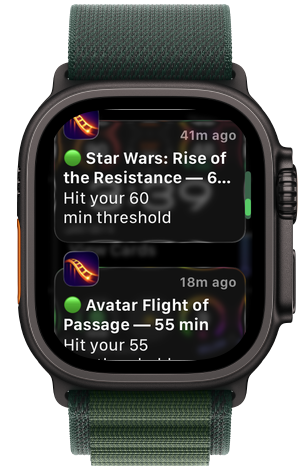
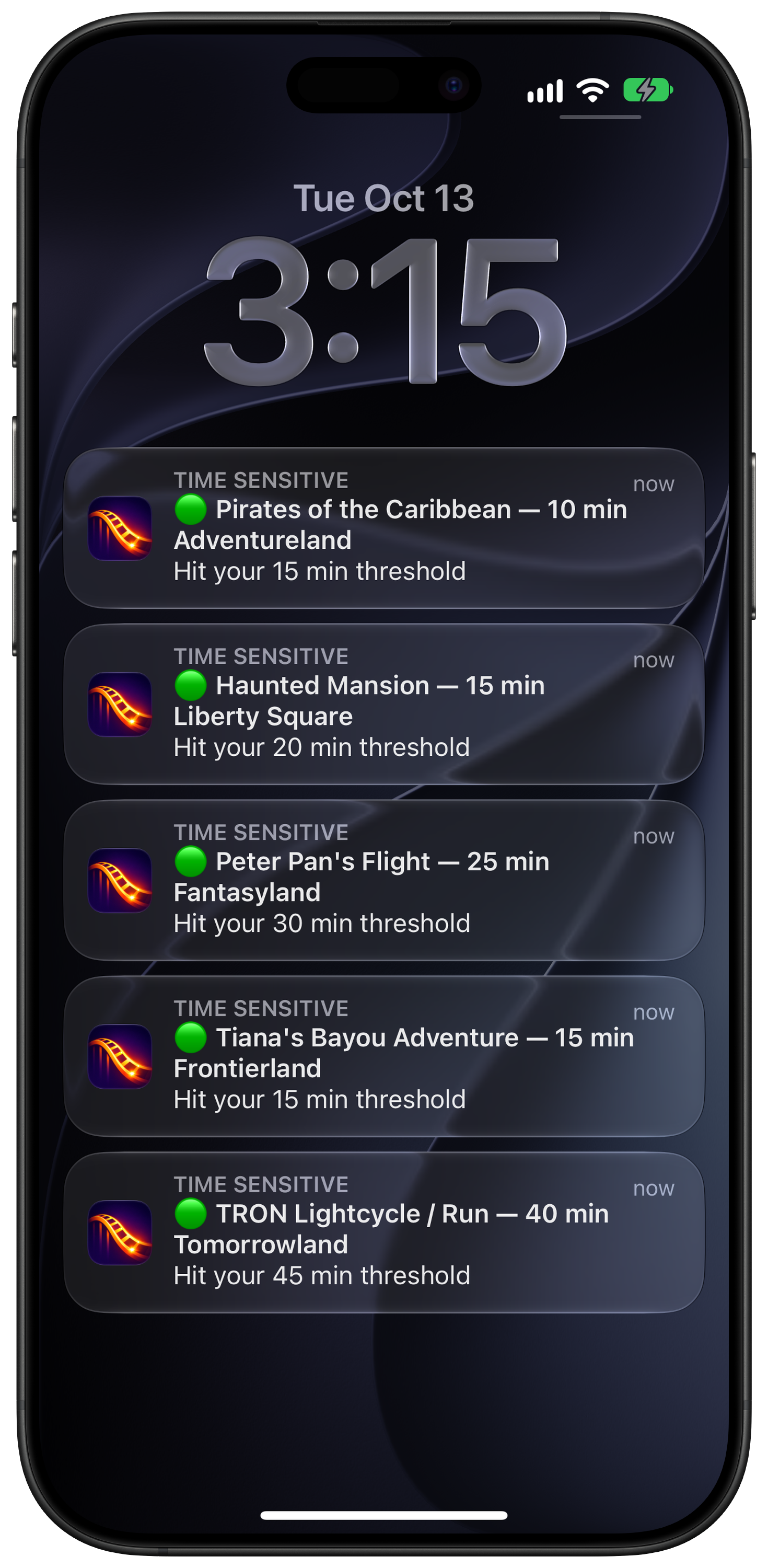
RideAlert watches your favorite rides at Disney World, Disneyland, and Universal and pings your phone and Apple Watch when a line drops below your threshold.

Download on the App Store

Free 5-hour trial · From $3/day

Android coming soon
Scan to install

Scan with your iPhone to install
RideAlert notifications on Apple Watch Ultra — Star Wars: Rise of the Resistance and Avatar Flight of Passage hitting their thresholds RideAlert push notifications stacked on the iPhone lock screen — Pirates of the Caribbean, Haunted Mansion, Peter Pan's Flight, Tiana's Bayou Adventure, and TRON Lightcycle all hitting their thresholds

How it works

Three taps at rope drop. Put your phone in your pocket.

1

Pick your rides

Choose the attractions you actually care about — headliners, custom list, or all of them.

2

Set your thresholds

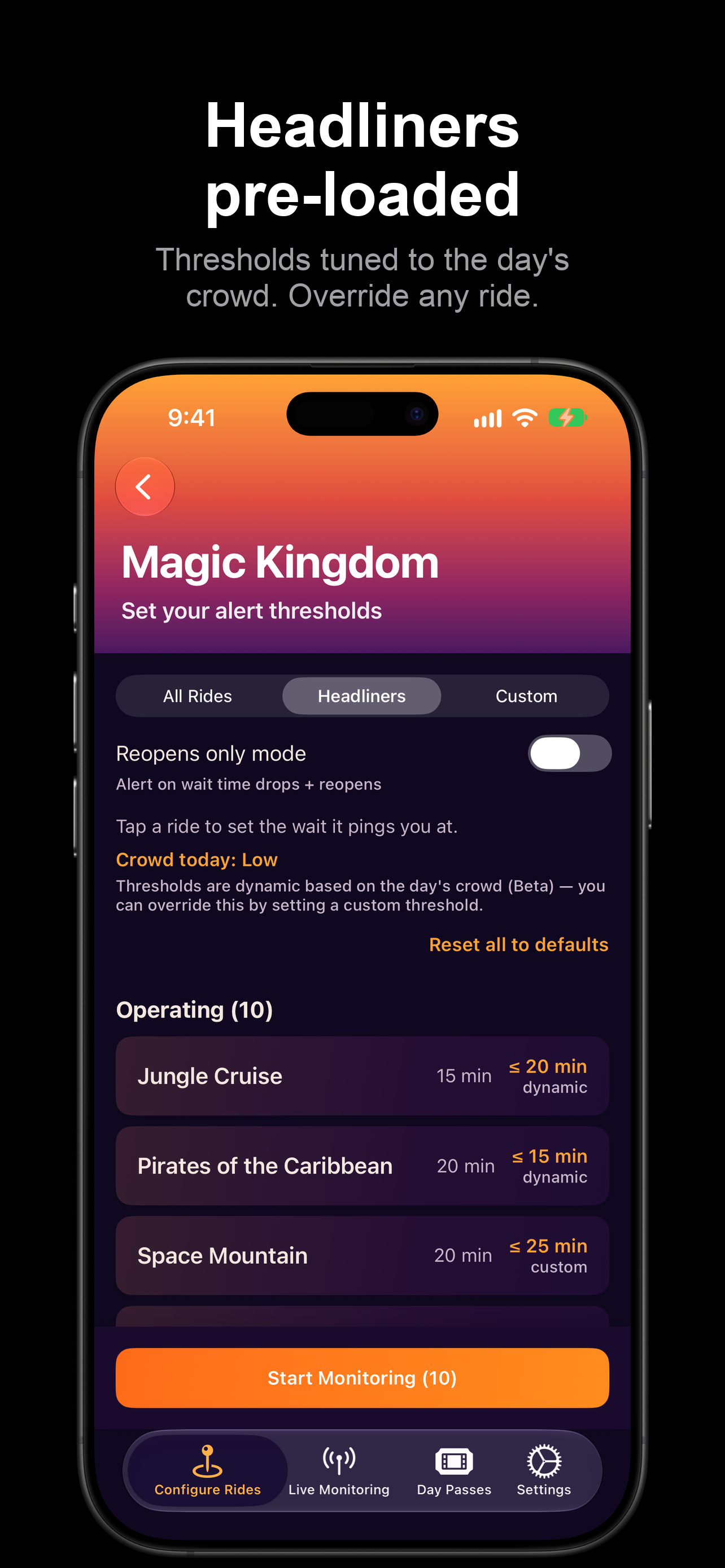
"Alert me when Space Mountain drops below 30 minutes." Different per ride — or keep the pre-loaded headliner thresholds, tuned to the day's crowd.

3

Get pinged

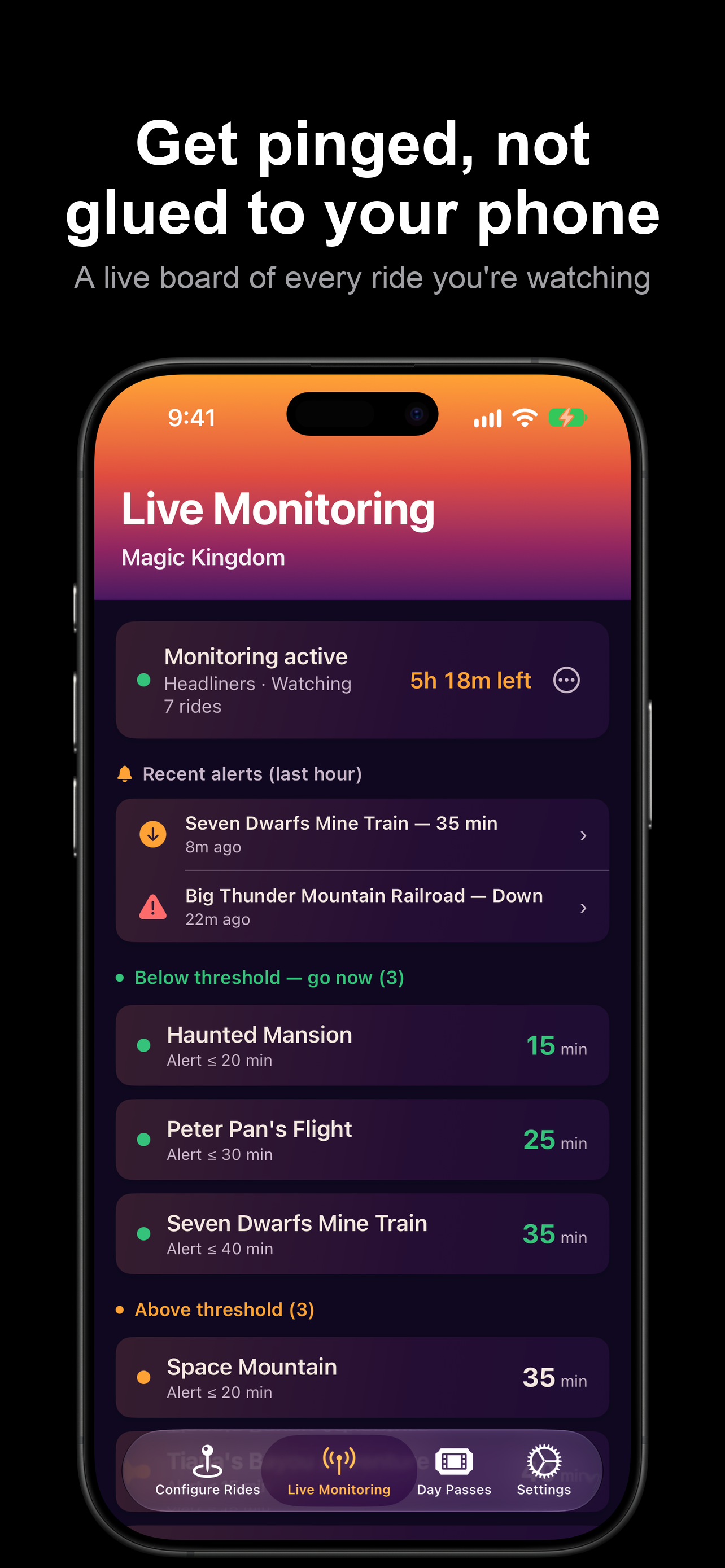
Push notifications to your phone and Apple Watch. Show up, ride, move on.

Alerts that actually help

Each one built around a real park-planning moment.

Wait-time alerts

Get pinged when a ride drops below your target. Keep getting notified as the wait keeps dropping, so you know the current low.

Reopen alerts

Ride went down? We'll tell you when it's back open.

Rapid-climb alerts

When a ride's wait jumps sharply — a sign of reduced capacity or an imminent closure — we flag it so you can reroute.

Weather holds

When lightning shuts down the outdoor rides at Walt Disney World, we tell you the earliest they can reopen — then stay quiet until they do.

Thresholds tuned to the day's crowd

Default thresholds adjust to how busy the park actually is, locking by early afternoon. Your own numbers always win. Beta.

Apple Watch mirroring

Every alert lands on your wrist too. Put the phone away, enjoy your day, and glance down when it buzzes. Stay present on your vacation.

Inside the app

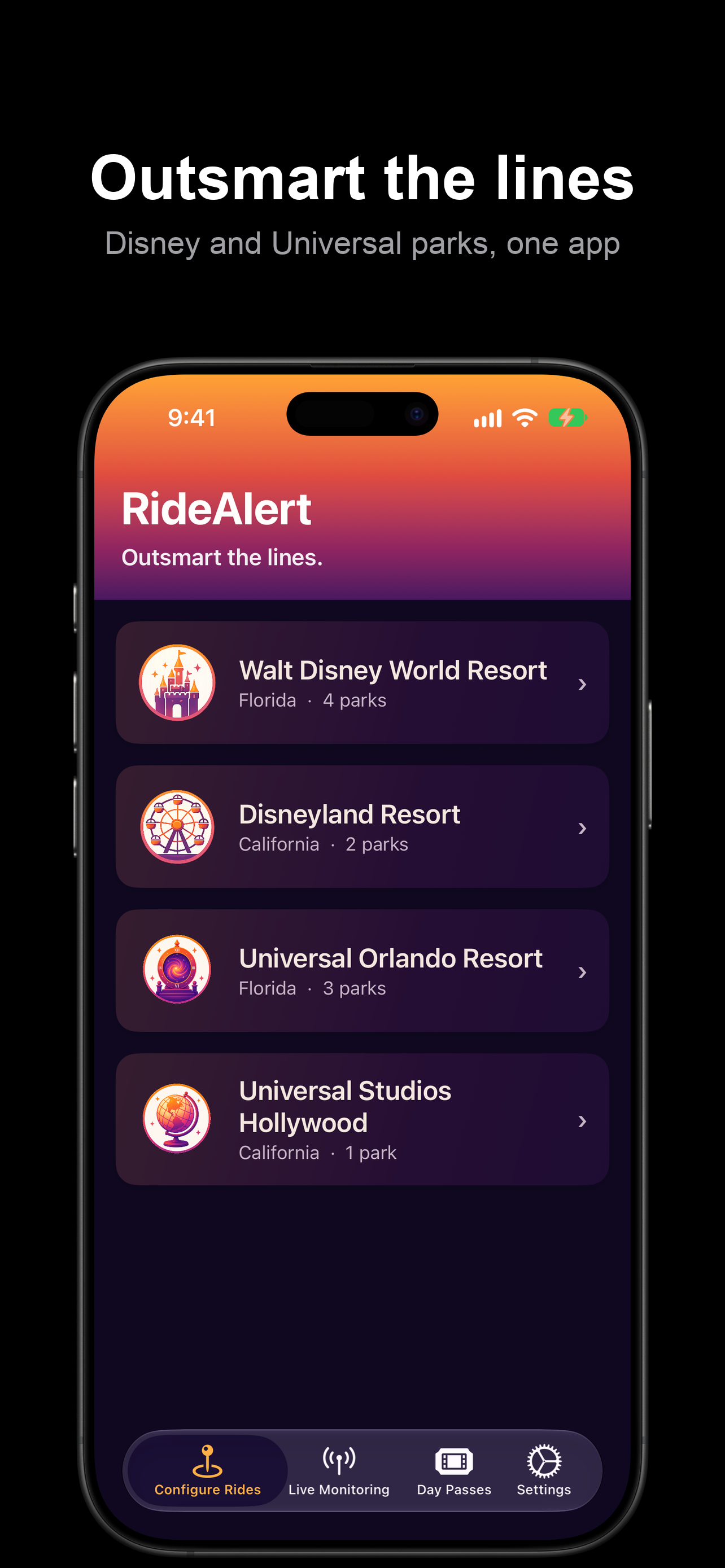
Ten parks across two coasts. Thresholds tuned to the day's crowd. Pay how you want.

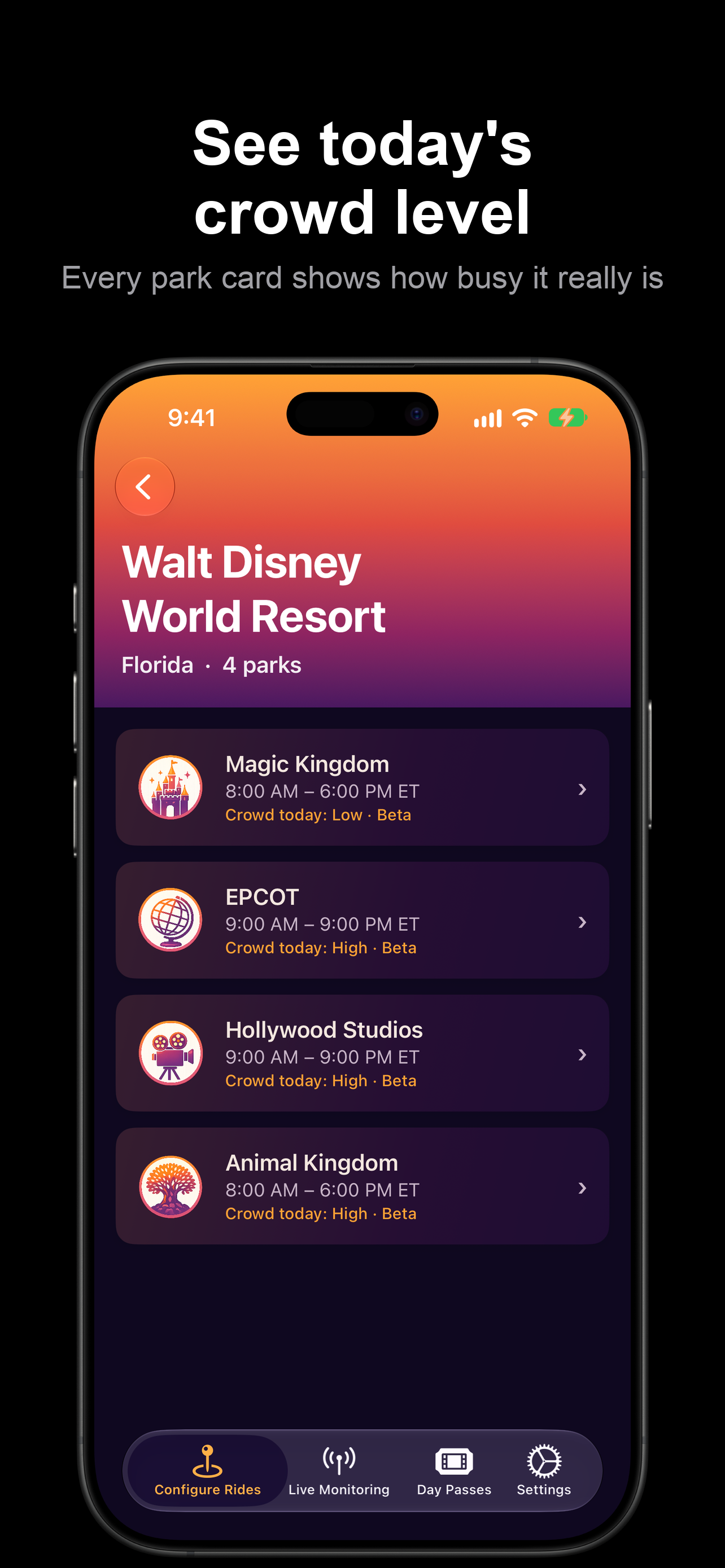
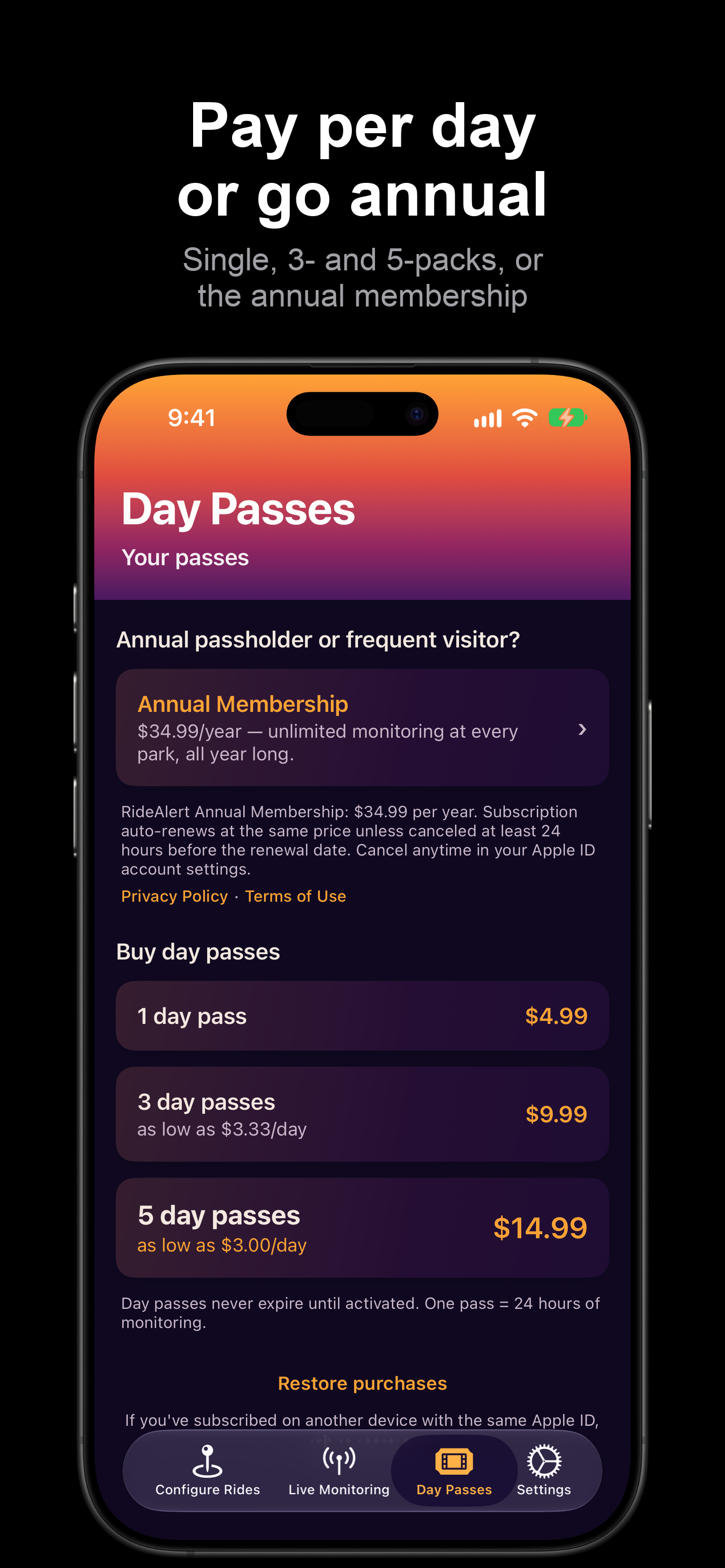
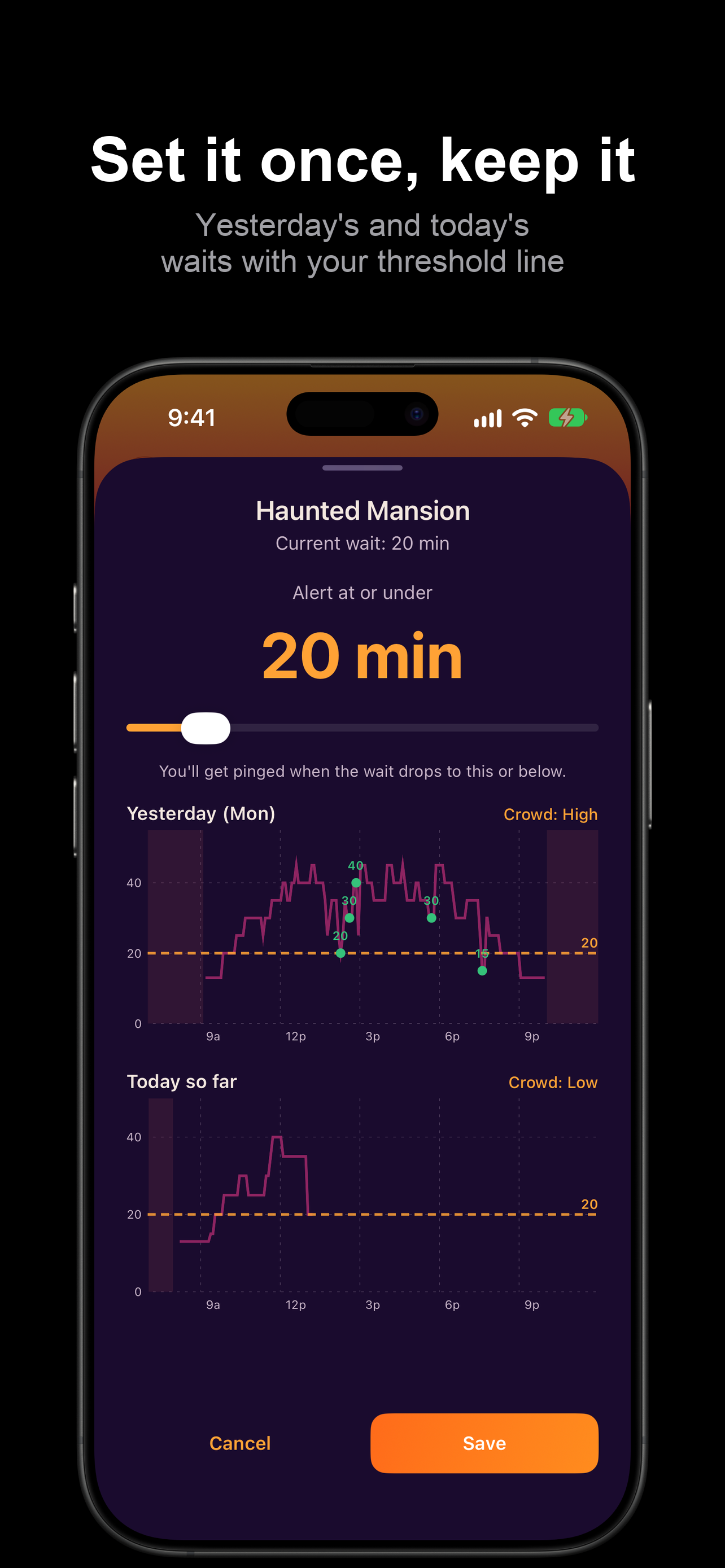
RideAlert home screen — Disney and Universal resorts in one app Walt Disney World park list with today's crowd level on every park card Headliners pre-loaded with thresholds tuned to the day's crowd — override any ride Threshold editor with yesterday's and today's wait-time curves and the day's crowd level Live Monitoring board — every ride you're watching, grouped by whether it's below your threshold Day passes or the annual membership — single, 3- and 5-packs

Simple, honest pricing

Start free. Pay how you want — by the day or by the year.

Free trial

$0

5 hours of monitoring, on us. No credit card required.

  • ✓ Every new user gets one free 5-hour trial pass
  • ✓ All features unlocked
  • ✓ Activate when you're ready — not when you download

Day passes

From $3/day

24 hours of full monitoring across every park at the resort.

  • ✓ Single passes or 3- and 5-packs
  • ✓ Best value at $3/day with the 5-pack
  • ✓ Passes never expire until you activate them
  • ✓ Stop, edit, and restart as many times as you want in 24 hours
Best value

Annual

$34.99/year

Unlimited monitoring at every park, all year long.

  • ✓ For annual passholders or frequent visitors
  • ✓ Visit more than a few times a year? It pays for itself
  • ✓ Cancel anytime in your Apple ID settings

No tracking pixels. No ads. Just alerts.

Questions?

How do threshold alerts work? +

You pick a wait time for each ride you care about — say 30 minutes for a headliner coaster. Our backend polls the live wait times every 5 minutes. As soon as your ride drops below your threshold, you get a push notification. If the wait keeps dropping, you get additional notifications so you always know the current low.

How does the free trial work? +

Every new user gets a free 5-hour trial pass. Activate it when you're ready to use it (not when you download the app) — the 5-hour clock starts the moment you hit "Start Monitoring". After your trial, you can buy day passes in the app (single, 3- or 5-packs) or upgrade to the annual subscription for unlimited monitoring. Purchased day passes never expire until you activate them.

What does a day pass cover? +

One day pass covers 24 hours of monitoring across all parks at the resort. You can start and stop sessions, edit your ride list or thresholds, and switch parks as many times as you want — your pass stays active for the full 24 hours.

Which parks are supported? +

Ten parks. All four Walt Disney World parks (Magic Kingdom, EPCOT, Hollywood Studios, Animal Kingdom), both Disneyland Resort parks (Disneyland Park, Disney California Adventure), all three Universal Orlando parks (Universal Studios Florida, Islands of Adventure, Epic Universe), and Universal Studios Hollywood. More parks are on the roadmap.

What does "Crowd today" mean? +

Each morning we read the park's headliner waits, classify the day as Low, Medium, or High, and adjust the default thresholds to match — a first read around 10am, refined through the morning, locked by early afternoon. It's in beta. Any threshold you set yourself is never touched.

What's a "rapid climb" alert? +

When a ride's wait jumps 40+ minutes within about 20 minutes, we send a separate alert flagging a possible capacity issue or an imminent closure. This can be useful info if you're planning to head to that attraction.

Why is a wait time different from my park's official app? +

RideAlert reads from a shared public wait-time feed that's typically a few minutes behind, and we refresh every 5 minutes on top of that. Small differences between RideAlert and the official app are normal.

More questions? We've got a full FAQ in the app.

Download RideAlert →

Stop staring at your phone.

Your first 5 hours are on us. No credit card required to get started.

Download on the App Store
Scan to install

Scan with your iPhone camera

Android coming soon.